Context
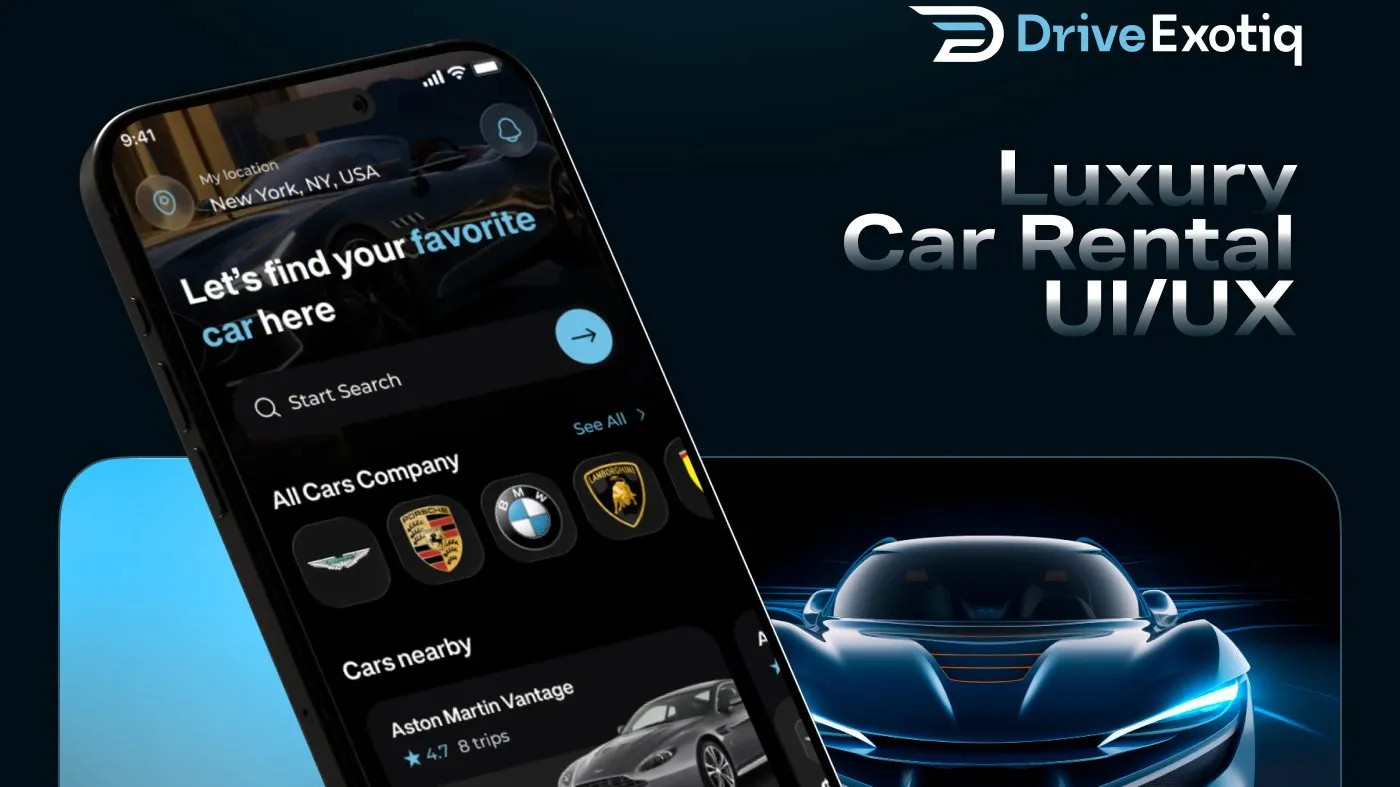
DriveExotiq is a project for the US market. It is a peer-to-peer marketplace: owners share their premium cars, and other people rent them. The design was made for stakeholders to look for investors.
We’re not creating just another car-sharing app. Our mission is to redefine what premium mobility feels like. With our platform, we want to give people effortless access, absolute trust, and the freedom to experience exceptional cars on their own terms.
Problem
The product had to solve three problems:
- Renters are afraid to take an expensive car from a private person. It is not clear who the owner is and what the terms are.
- Owners find it hard to list a car, and they want to control availability and price themselves.
- A slow or confusing app breaks the feeling of a premium service.
What I did
I designed the flows for two roles, renter and owner: search, booking, profile check, profile and listings.
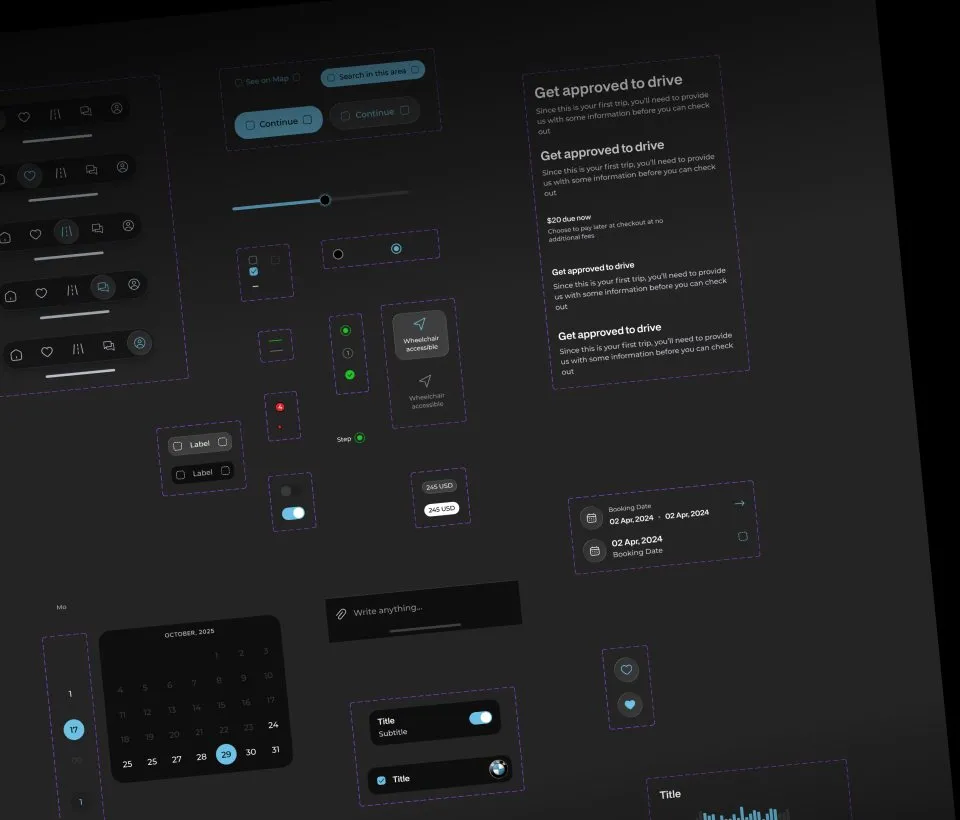
I made a dark UI for premium cars and a component system: cards, states, modals, form fields.
I worked in iterations with the stakeholders: we reviewed the designs and refined the interactions.
I built an interactive prototype for the investor pitch.
Three solutions
- 01
Terms before payment.
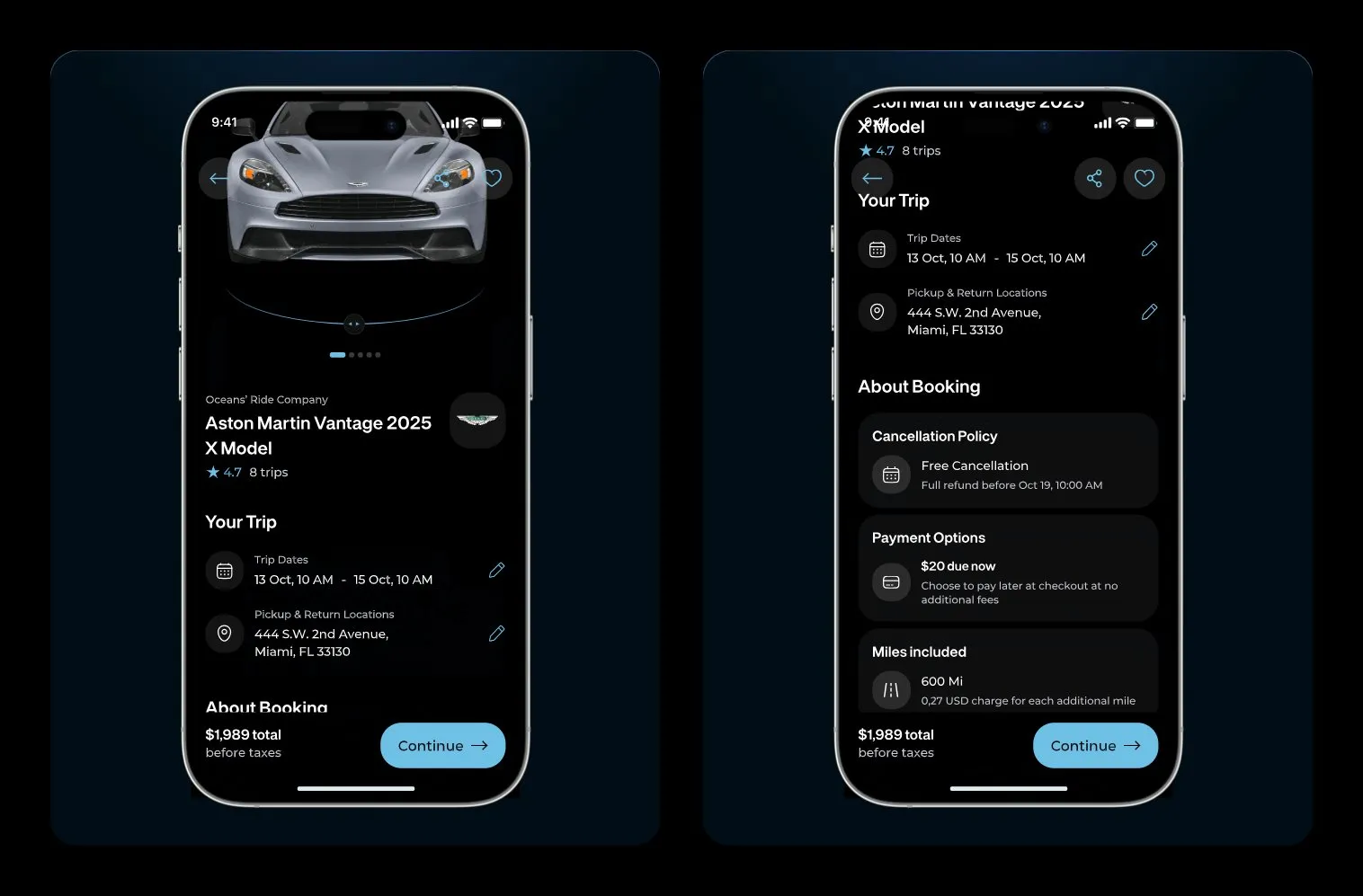
The car page shows the dates, the place, the cancellation rules, payment, the mileage limit and insurance. The renter knows everything before the “Continue” button.
- 02
Step-by-step profile check.
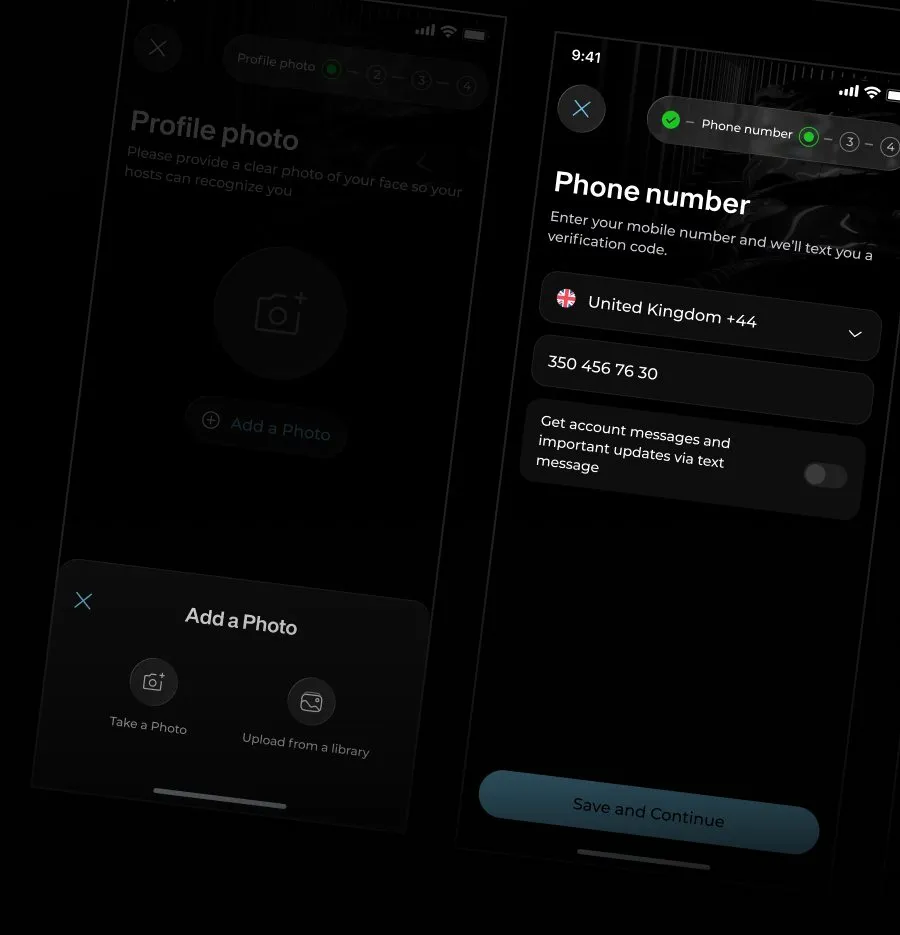
Photo, phone, driver’s license (you can scan it to fill the form) and address. A progress bar shows the step, and errors show next to the field.
- 03
One account, two roles.
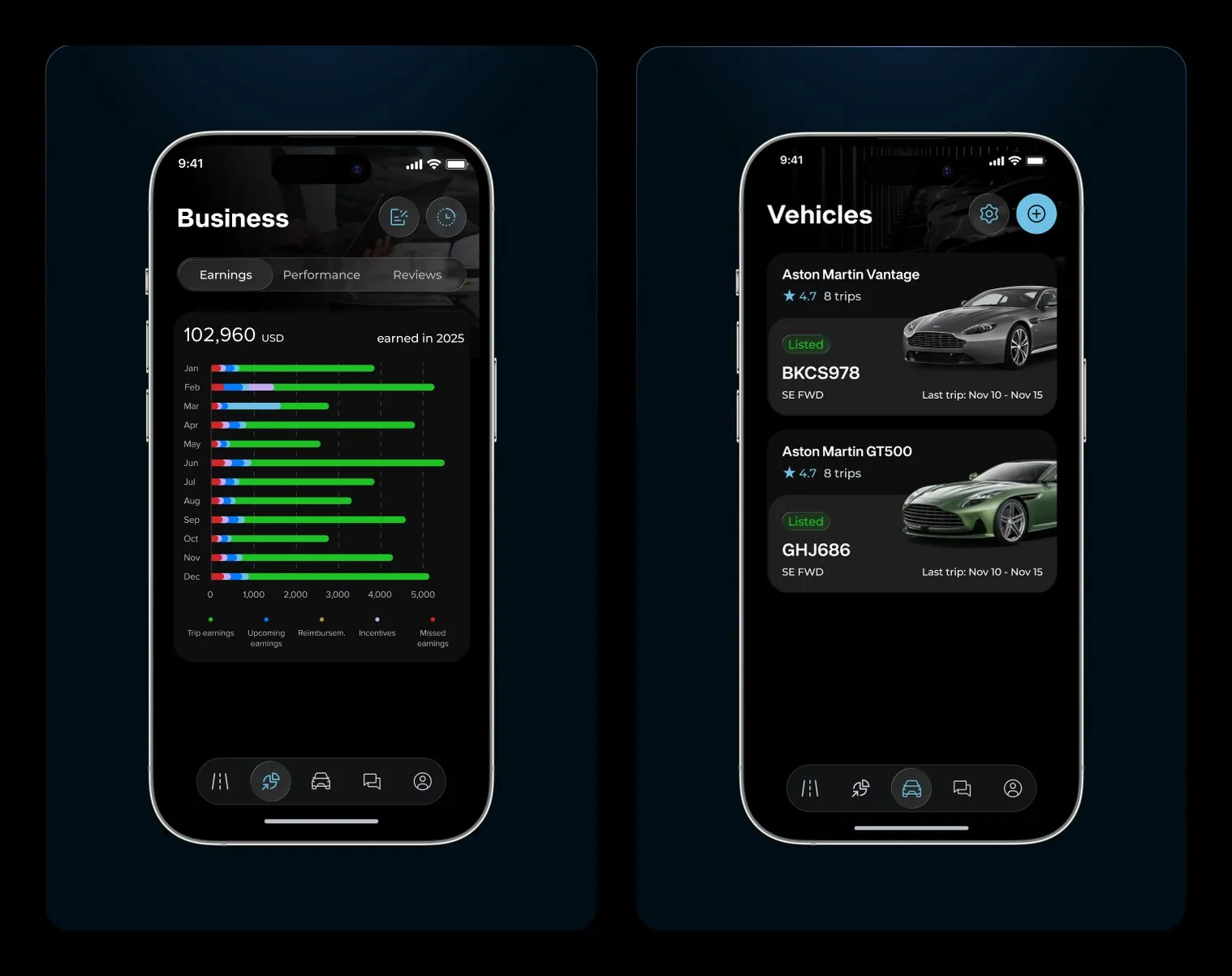
A guest / host switch in the profile. Owners see their cars with a status and their earnings by month.
Other screens
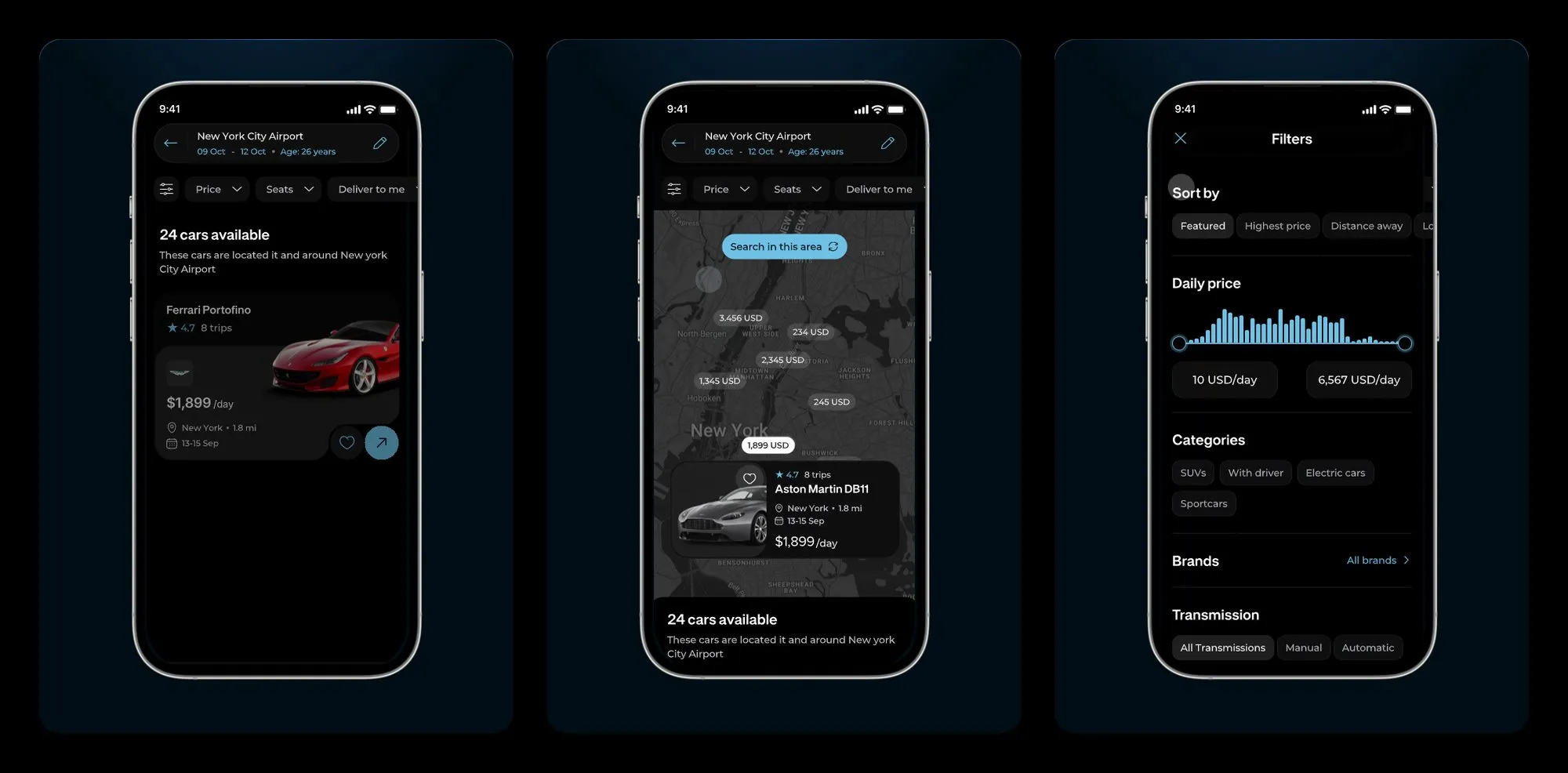
- Search: a list and a map with prices, filters with a price chart, categories, brands, transmission.
- Favorites: your own trip lists in two views, list and cards.
- Onboarding: sign up with Google, Facebook or email.
Limits
The product is not launched yet, so this case has no metrics or usage results. Prices, cars, names and earnings on the screens are test data.